Built into Nicoka
Protect your candidates’ identity in a few clicks
Hide personal details directly on the CV, add your business card, and send an anonymised CV to your clients, straight from Nicoka.
Talk to an expert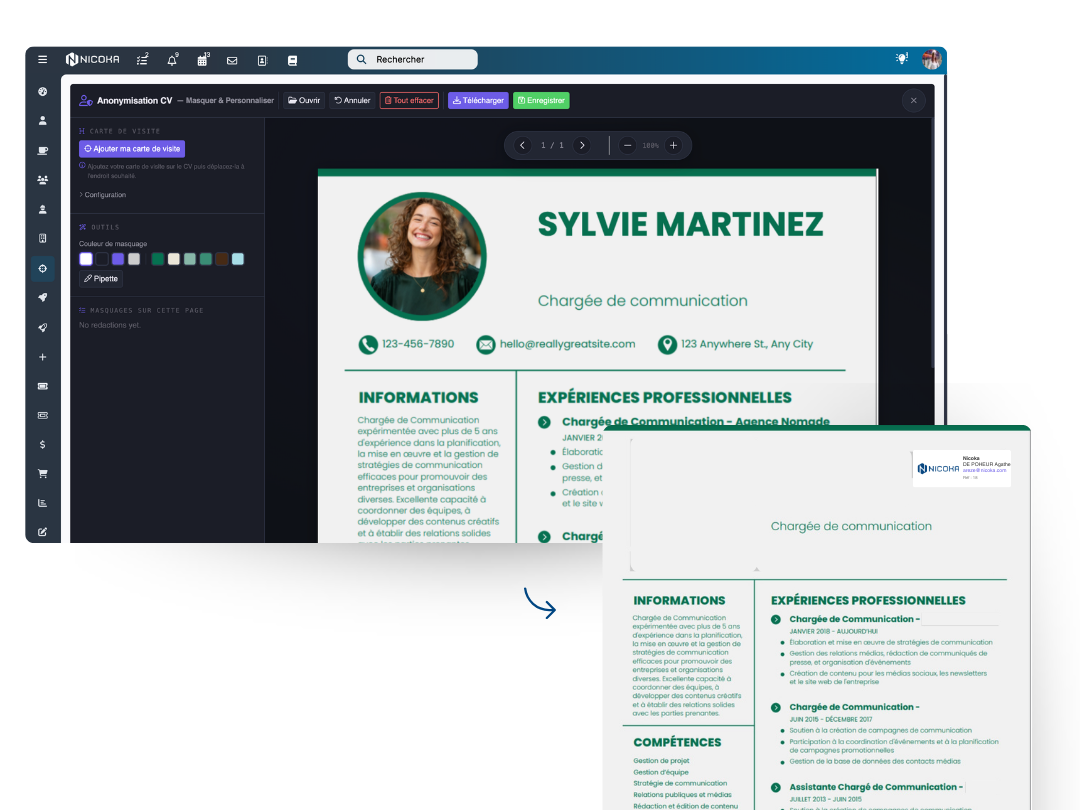
Hide personal details directly on the CV, add your business card, and send an anonymised CV to your clients, straight from Nicoka.
Talk to an expert
Protect your candidates’ personal data and meet your legal obligations in one click.
Choose the areas to hide and the redaction colour, for a clean and professional result.
Automatically add your logo, your contact details and the candidate reference to the CV.
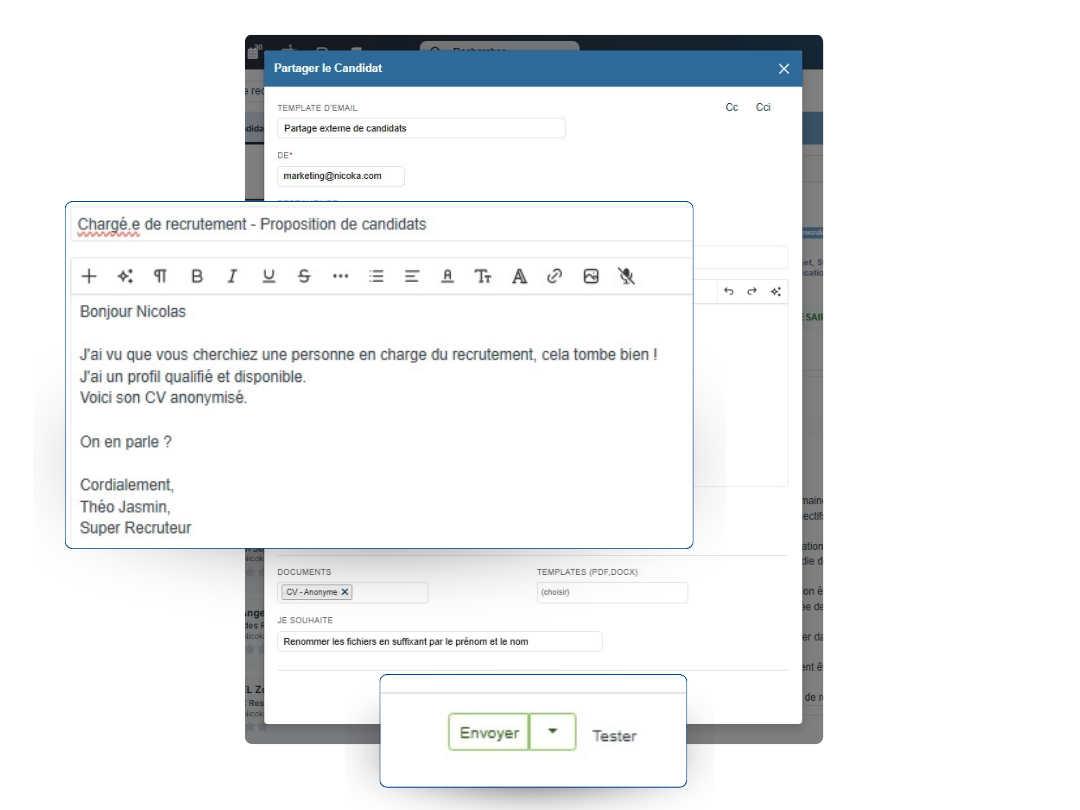
Send the anonymised CV straight to your clients from Nicoka, with a personalised email.
Anonymise and share your CVs from Nicoka CABS in four simple steps.
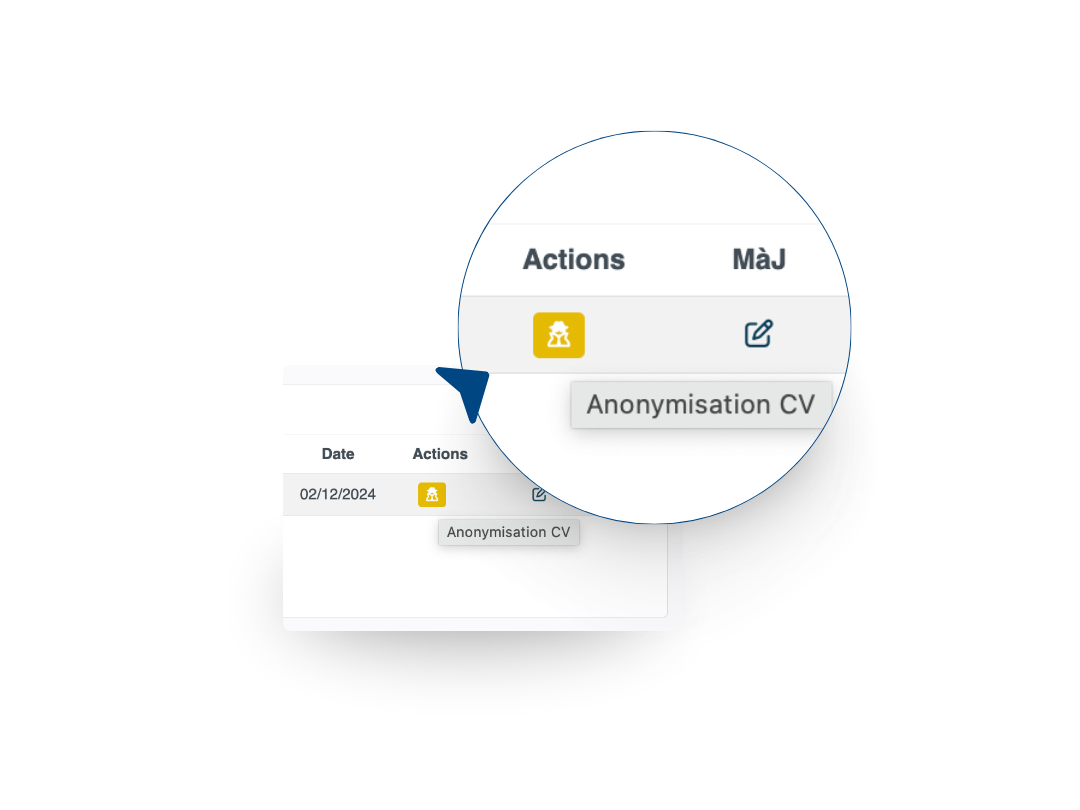
In the Documents tab of every candidate record, a "CV anonymisation" button sits directly on the CVs.
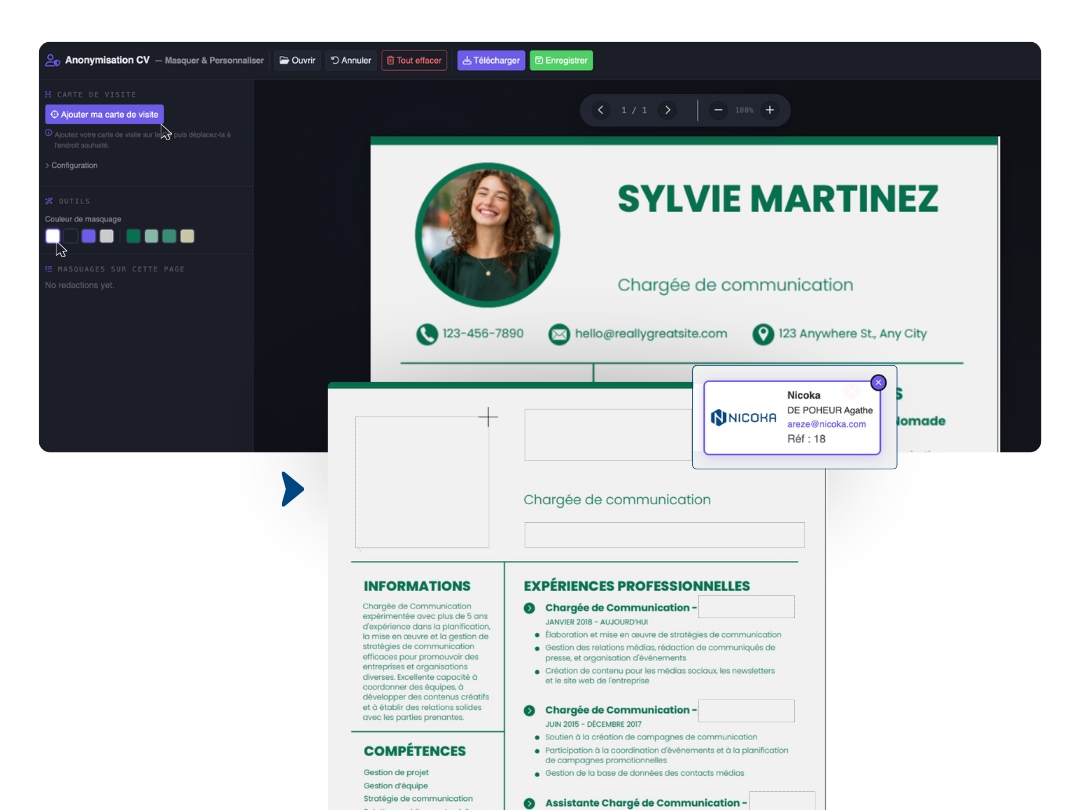
The anonymisation editor lets you hide any area of the CV, in the colour of your choice. You can also add your own business card.
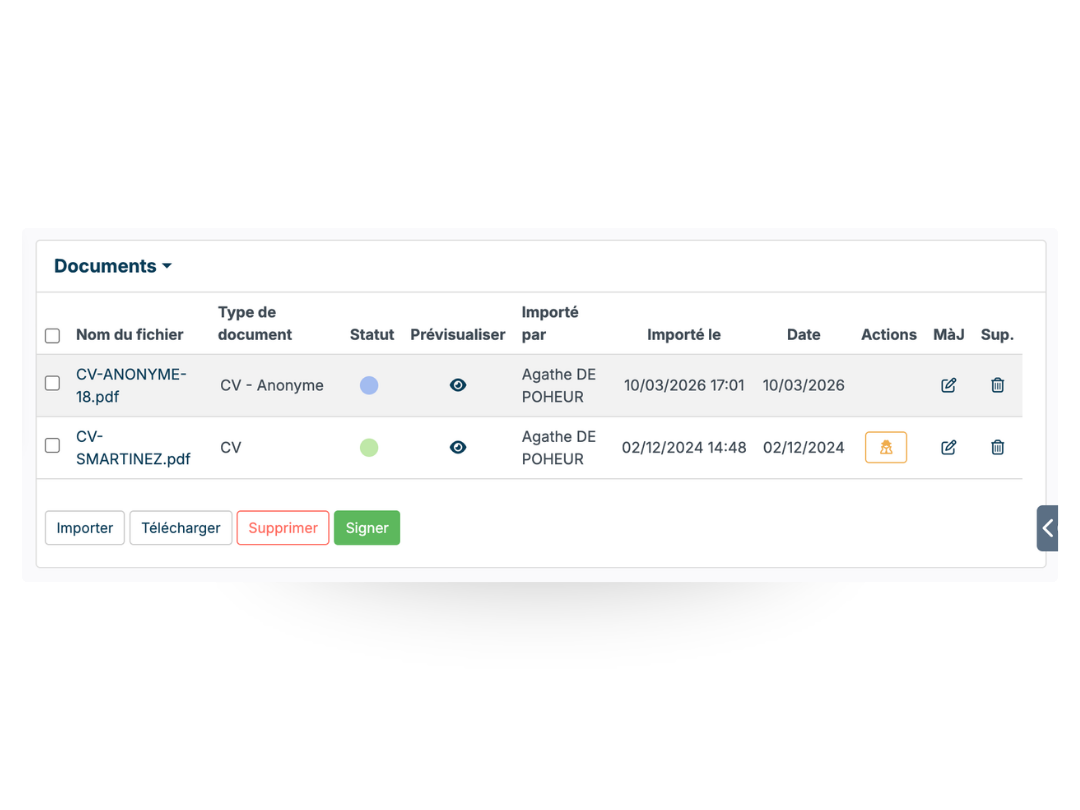
Once your masks are in place and your business card added, download the CV as a PDF or save it straight into Nicoka. It appears automatically in the candidate documents.
Send the candidate CV to the company you choose, straight from Nicoka: personalise your email with our AI and attach the anonymised CV.
Nicoka is built to make your life simpler.
Anonymising a CV before sending it to a client means removing everything that identifies the candidate, name, surname, photo, age, address, nationality, and keeping only what is useful to assess the profile: education, professional experience, skills.
For a recruitment agency or an independent recruiter, the practice answers two separate needs. The first one is legal: the GDPR (art. 5(1)(c)) allows only the data strictly necessary for the purpose of the processing to be passed to a third party. The French data protection authority, the CNIL, restated this in its recruitment guide of January 2023 and in its formal notice of April 2024 against a company collecting unjustified information about its candidates. The second one is operational: an anonymised CV protects the recruiter’s candidate portfolio and ensures the client assesses the profile on skills alone.
The reality of hiring discrimination based on identity information is documented. The testing study run by Dares between 2019 and 2021 on 9,600 real applications shows that, at strictly identical profile, an application whose name suggests North African origin receives 31.5% fewer callbacks than an application with a French-sounding name. Anonymisation is not only a compliance step: it leads to a shortlist genuinely based on skills.
The difficulty for recruiters is not understanding why it matters, it is fitting it into their daily workflow without friction. Opening an external PDF editor, hiding fields by hand, saving, renaming and sending the file are so many steps that slow the process down and multiply the risk of an oversight. Nicoka CABS builds this module straight into the candidate record.
Editing in an external PDF tool is still the dominant practice in agencies. It works, but it breaks the workflow, multiplies file handling and increases the risk of an oversight on CVs with a complex layout.
What recruiters ask about CV anonymisation
A recruiter passes personal data to a third party as soon as a CV is sent to a client. The GDPR (art. 5(1)(c)) requires that transfer to respect the data minimisation principle: only information useful to assessing the profile may be shared. Identity data, such as name, surname, photo, address, age and nationality, has no place at this stage.
Anonymisation also protects the recruiter commercially: a candidate presented anonymously cannot be approached directly by the client without going through the agency.
The data to remove is whatever identifies the candidate without saying anything about their skills: name, surname, photo, postal address, personal email, phone number, date of birth, nationality, family situation. The CNIL recruitment guide (January 2023) states that this information should not be passed on without a reason tied to the role.
Some complex layouts make the exercise trickier: highly recognisable employer logos, identifying place names in the education section, or visible links to a LinkedIn profile. An area-by-area redaction tool, like the one built into Nicoka CABS, handles these cases precisely.
France has no explicit legal obligation requiring agencies to anonymise CVs. The law of 31 March 2006 provided for it in companies of 50 employees and more, but the implementing decree was never published, and the measure became optional in 2015.
The GDPR does impose it indirectly, through the data minimisation principle (art. 5(1)(c)): any information passed to a third party must be strictly necessary for the purpose of the processing. The CNIL confirmed this reading in its guide of January 2023 and in its formal notice of April 2024.
From the candidate record, the user opens the module without leaving the CRM. They select the areas to hide directly on the document preview, apply the agency business card configured beforehand, then save the anonymised CV to the candidate record. Sending it to the client happens from Nicoka, through the email templates built into the platform.
The business card set-up, meaning logo, recruiter contact details and file naming conventions, is defined once and applies to every document processed afterwards.
If the candidate CV has not been updated, the anonymised document saved in the record can be reused as it is for a new submission. There is no need to run the redaction process again.
If the candidate has sent an updated version of their CV between two submissions, the anonymisation module has to be applied to the new document. Nicoka CABS keeps the version history, so the recruiter can follow the updates.
The Nicoka CABS anonymisation module handles CVs in PDF format, which are the vast majority of the documents recruiters receive. Word files can be converted to PDF before processing. Redaction works by selecting areas visually on the document preview, whatever the internal structure of the file, including complex layouts with columns, tables or coloured backgrounds.
For any unusual case or atypical layout, the Nicoka support team helps users get started.
The business card is the recruiter identification block that replaces the candidate contact details on the anonymised CV. It usually carries the agency logo, the name of the consultant handling the assignment, their direct contact details and, where useful, the internal reference of the assignment.
In Nicoka CABS, this business card is configured once per user or per agency, then applied automatically to every anonymised CV produced. It is fully customisable: content, formatting and position on the document.
On cognitive bias in recruitment, the work of Marie-Sophie Zambeaux (ReThink RH), author of Recruiting under influence: free yourself from cognitive bias (Dunod, 2025), is a reference. She points out that cognitive biases distort assessments and deprive companies of the benefits of diversity (Décideurs RH), and warns that AI can amplify those biases when the tools are not designed to reduce them (HelloWork).
Reference data cited on this page: the DARES testing study on hiring discrimination, and the CNIL recruitment guide (January 2023).
